
Booking.com’s Guest Review Score uses the overall ratings guests leave after a stay. Since January 2025, recent reviews have carried more weight. A group of low scores can therefore move the number even when most older reviews are positive.
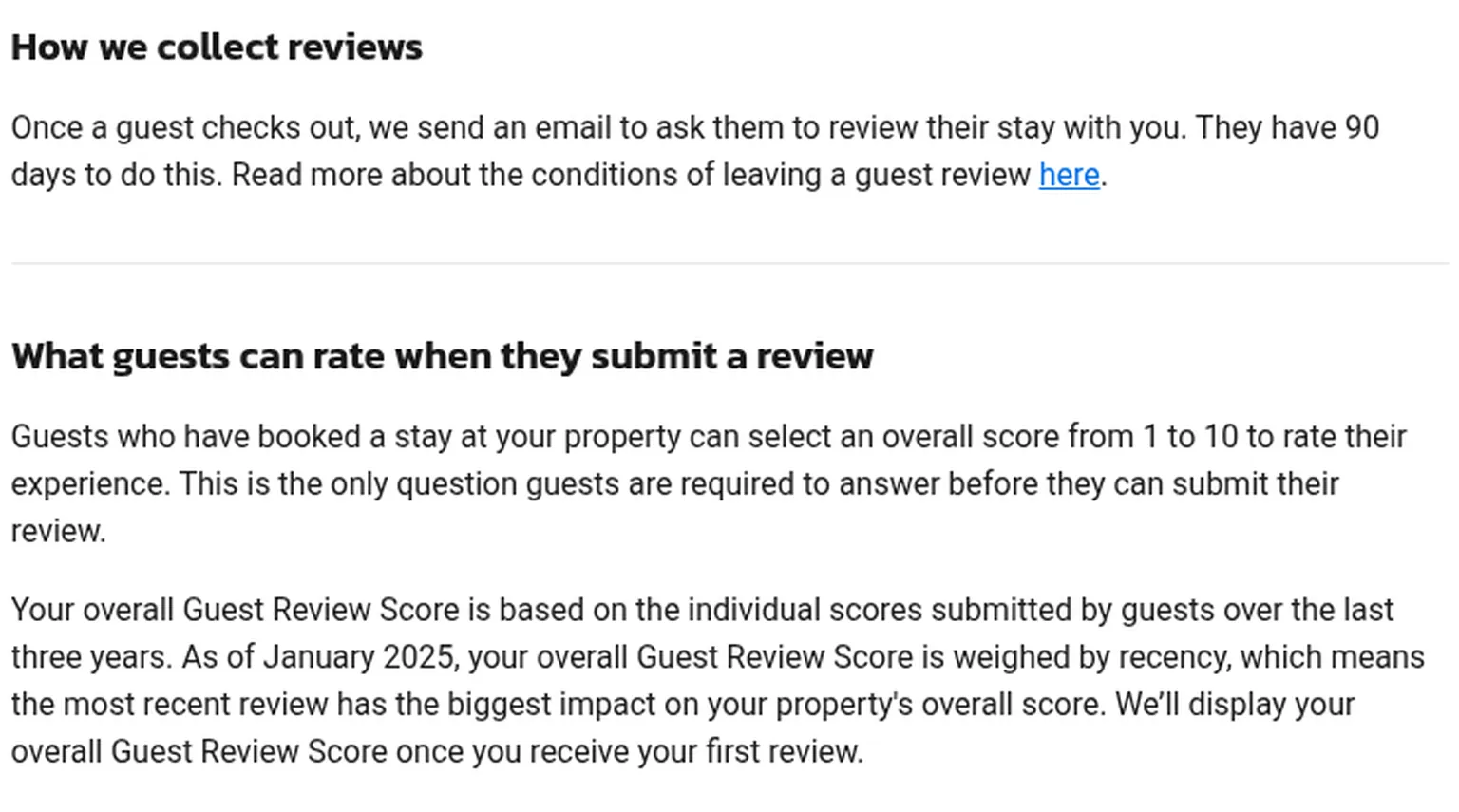
Source: Booking.com Partner Hub.
How Booking.com describes the guest review score
Booking.com sets out the process in its partner help article “Everything you need to know about Guest Review Scores”:
- After checkout, Booking.com emails the guest and asks them to review the stay. Guests have 90 days to do so.
- Guests choose an overall score from 1 to 10. That overall score is the only question they must answer before they can submit the review.
- The overall Guest Review Score is based on those individual overall scores from the last three years.
- As of January 2025, the overall score is weighted by recency: more recent reviews have a bigger impact, and as a review gets older its importance decreases.
- Booking.com says it also “mitigate[s] the risks of large fluctuations for properties with few reviews by giving the same weight to the most recent reviews at your property.”
- Booking.com does not publish the exact weights in this help article.
- The overall score is displayed once you receive your first review.
Guests can also leave optional category ratings (for example cleanliness, comfort, value, facilities, location and staff) and optional comments. Partner help states that these optional category ratings do not count toward the overall Guest Review Score. Optional scores for services such as wifi and breakfast also do not count toward the overall score.
Recency, archives and what is not disclosed
Partner help says reviews stay on the property’s reviews page for 36 months and are then archived automatically. Once reviews are archived, the overall score is recalculated using the reviews that are still online.
Before January 2025, the score was the average of guest reviews from the previous three years. The current help article describes recency weighting and leaves the exact weights unpublished.
Guidelines and moderation
Check Booking.com’s public review guidelines and guest review standards if you think a review breaks its rules.
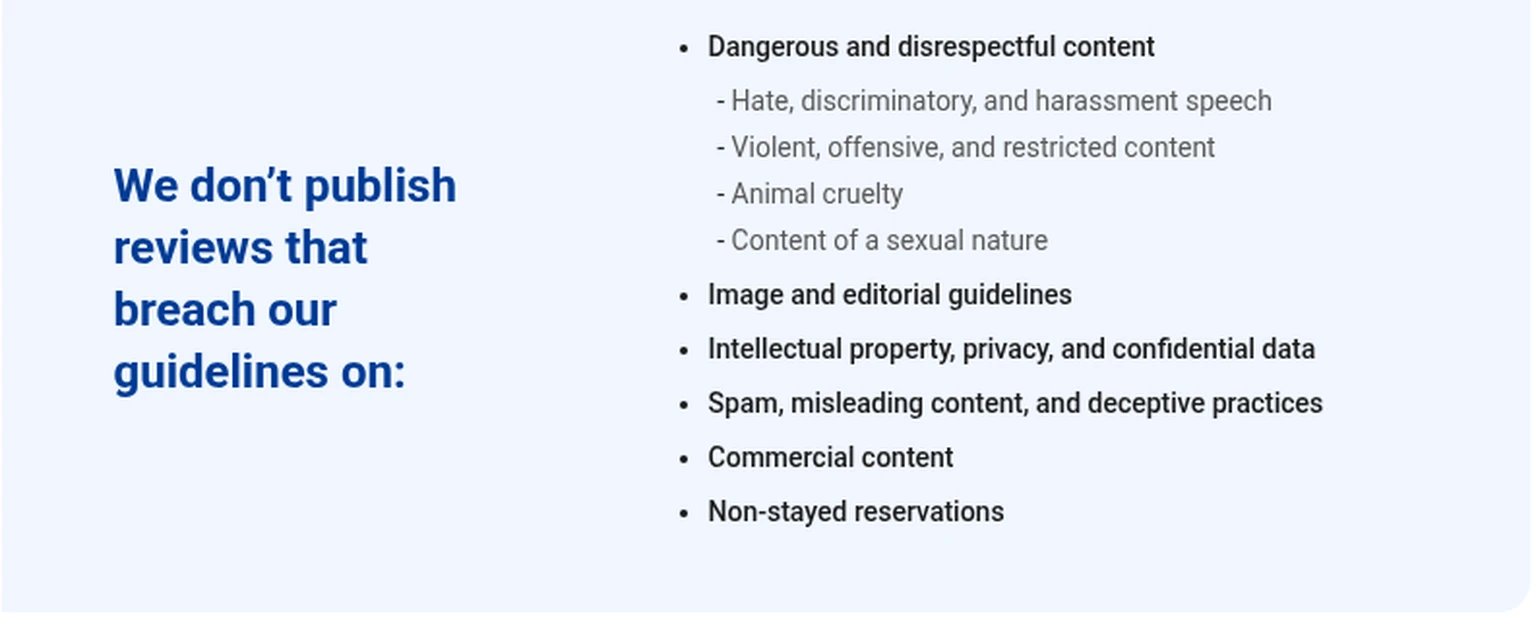
Source: Booking.com guest review standards.
Only Booking.com can remove a review that breaks its rules. A review that is simply unfavourable is not the same thing as a review that violates the standards. If you report a review, follow the official process and keep guest privacy out of any public comment.
Why a new 9/10 might leave your displayed score unchanged
Each new score contributes to the rolling figure alongside the scores already included. A 9 can be close to the existing score, so the displayed number may look the same. Older reviews can also leave the three-year window. Booking.com does not publish the exact weighting, so use the scores and dates shown in your account when you investigate a change.
What to do after a sudden drop
Start with the newest comments. Recency weighting means a cluster of low scores can move the overall figure more than it would have under a simple three-year average.
In the first days:
- Read every recent review with comments, not only the score.
- Tag repeating themes (cleanliness, noise, check-in, breakfast, heating, accuracy of the listing).
- Fix what you can fix in the operation, and update the listing if it was inaccurate.
- Reply on Booking.com where the partner account allows it, calmly and without private guest details. A reply is for future readers. It does not guarantee a score change.
- Do not offer an incentive for a guest to change or remove a review.
For a weekly routine across your hotel’s review sites, see hotel review operations and hotel reputation management.
A 30-day recovery plan for a 12-room hotel
Suppose four recent reviews mention cold rooms, while older comments are mostly positive. In week one, log when and where problems were reported and ask maintenance to check the affected rooms. In week two, review the handoff from reception to maintenance. In weeks three and four, record new reports and compare them with the earlier period, keeping the number of reviews and occupied rooms visible. Track the issue alongside the Booking.com score so the team can see what guests are still reporting.
Illustrative replies (not real guests)
Low score with a short complaint: “Thank you for staying with us, and I am sorry the room was colder than you expected. We have since added an extra heater and blanket to every room on the top floor. Please ask at reception next time and we will check the room before you arrive.”
A listing that should have been clearer: “Thank you for your review. You are right that our building has no lift, and we should have made that clearer. Our property description now says so at the top, and we offer ground-floor rooms first to guests who ask.”
A high score: “Thank you. We are glad the walk to the old town and the breakfast recommendations were useful. The terrace is due to open again in April.”
Keep guest names and room numbers out of the public reply.
Sources
- Booking.com partner help, “Everything you need to know about Guest Review Scores”, updated 22 January 2026 and accessed 19 November 2026.
- Booking.com video/help page on how the overall guest review score works: https://partner.booking.com/en-us/video-on-how-your-overall-guest-review-score-works
- Booking.com reviews guidelines: https://www.booking.com/reviews_guidelines.html
- Booking.com guest reviews standards: https://www.booking.com/content-moderation-policy/guest-reviews-standards.html
What a score drop can hide
A new score tells reception to look closer. Without a way to group the comments, the desk has to search recent reviews again each time it needs to check whether guests are still reporting cold rooms. Reviato lets the manager reopen that topic and read the comments with their dates and sources. Request a free hotel review audit.