
Review analytics groups guest comments by topic so you can see what keeps coming up and read the reviews behind it. For a hotel or restaurant, that can mean spotting a run of check-in complaints or finding out which dish people keep recommending.
What review analytics is for
Start with four questions.
- Which parts of the visit keep coming up?
- Over which dates and on which sites?
- What did they actually write, in their own words?
- Is anyone in the team assigned to look at it?
A 4.3 average gives you an overview. Read the 3-star comments to see whether guests are talking about breakfast or billing.
Grouping themes and checking the evidence
You can do this in a spreadsheet or with review analytics software.
- Choose a period, such as the last 30 days. Collect public reviews from Google, Tripadvisor and Booking.com as applicable. Keep private feedback from the same period labeled separately.
- Read the comments. Group the comments by topic, keeping the star rating for context. One 2-star review can mention both a delayed check-in and a comfortable bed. Count both themes if both are there, and keep the original wording attached.
- For each theme that appears more than once, open several of the supporting comments. Check dates, sources and whether the wording is actually the same issue.
- Write down the theme and how many comments you read. Add a couple of quoted phrases and name who will investigate. Use counts for small samples.
- Decide what to check with the team. Publish any public reply separately, on the site where the guest wrote the review.
If you use a tool that labels topics automatically, treat every label as a hypothesis. A comment labeled “cleanliness” may actually describe a room that was unavailable at check-in. Read the sentence before deciding which team needs to look at it.
A worked example from hospitality comments
This fictional example uses sample counts to show how the method works.
A 32-room hotel looks at 40 public comments from one month, across Google and Booking.com. Twelve of them mention wait or confusion at arrival. Four mention a bathroom fan. Most of the arrival comments cluster on Friday and Saturday between late afternoon and early evening. Private feedback names two rooms with fan issues. Keep those room numbers out of any public reply.
Those twelve comments make up 30% of the review sample. The sample alone can’t tell the hotel how common the problem was across all stays. The manager checks staffing and the arrival process at peak times and asks maintenance to inspect both rooms. A week later, the manager checks whether those actions happened and reads new comments for reports of the same wait.
What review themes can tell you
- Your sample covers the people who left feedback. Keep conclusions within that group.
- “Slow check-in” could point to desk staffing, a late housekeeping run, a tour bus or a key-card system. Check what happened with the people who worked the shift.
- Track new mentions after a change. Ratings may move slowly even when complaints ease because each platform calculates scores differently.
- Keep identifying details from private feedback out of public replies.
- Investigate a serious complaint promptly, even if only one guest reports it. To establish a trend, check whether others describe the same issue.
If you need official score mechanics while you interpret a number, see Booking.com review score and Tripadvisor rankings.
Reading trends in Reviato
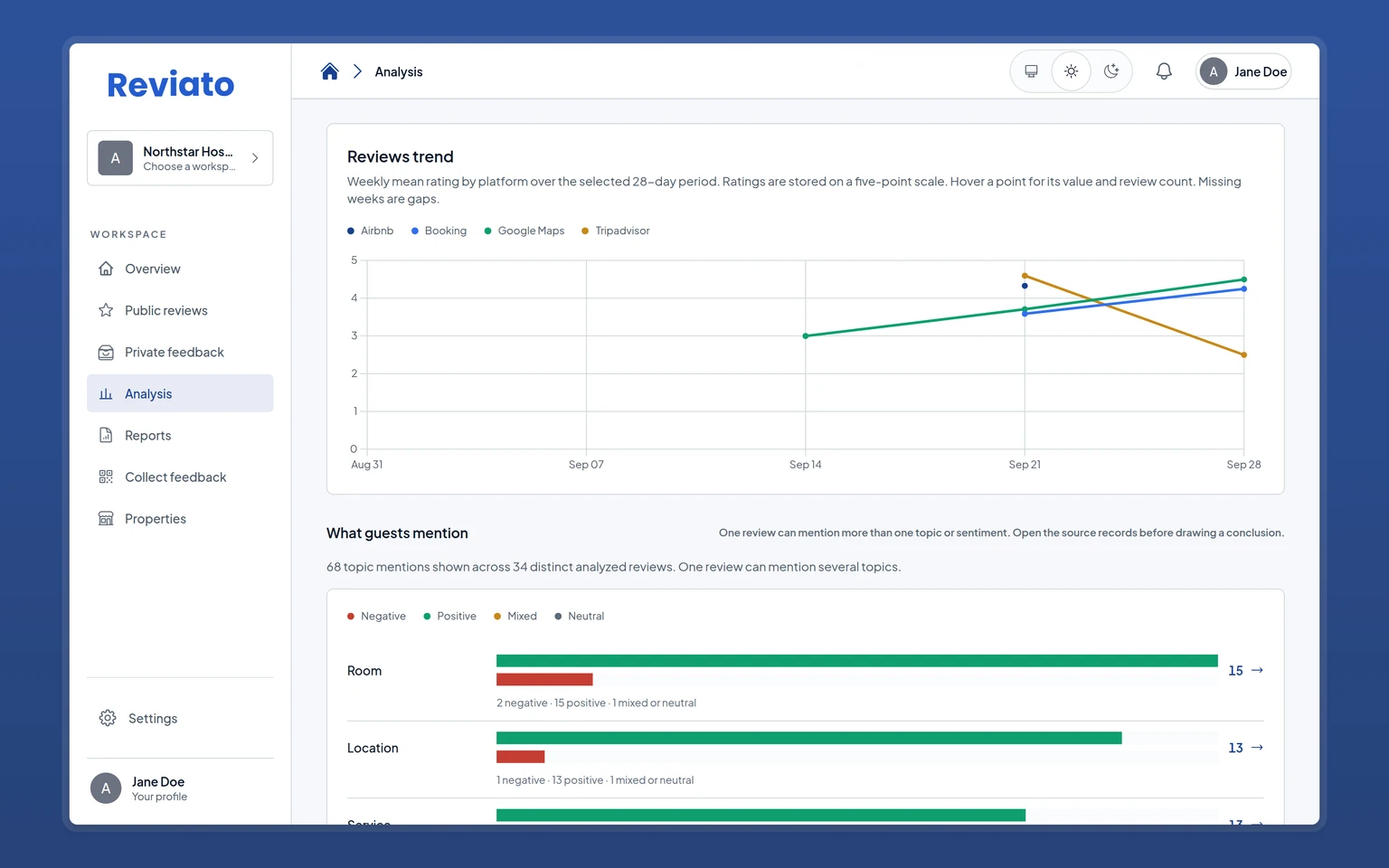
Reviato’s trend view helps you compare topic mentions over time.
Sources
- Tripadvisor, “How to respond to negative reviews”: https://www.tripadvisor.com/business/insights/restaurants/resources/responding-to-negative-reviews (opened 19 November 2026), for the advice to look for repeated feedback.
Related pages
What manual review counts can miss
Manual tagging makes it easy to count the same themes in different ways from one week to the next. Reviato groups connected reviews and keeps the source comments available, so you can check what changed without rebuilding the tally from scratch. See how review trends work.