
Introduction
Google Maps is the first stop for most Las Vegas diners scanning “restaurants near me.” A 4.36★ average and 1,670 reviews per place set a high bar here. Locals trust the map pins more than a billboard on the Strip, because they see recent photos, open hours, and how owners handle complaints. The café across Charleston at 4.7★ pulls Friday night tables; the 4.1★ spot next door watches guests walk by.
This guide covers how the current Google Maps landscape looks for Restaurants in Las Vegas, why small rating bumps move revenue, what locals praise and critique, and five platform-specific moves you can execute this month. We’ll end with clear weekly, monthly, and quarterly next steps, plus data notes so you can sanity-check everything.
The Google Maps Landscape for Las Vegas Restaurants
| Rating | % of restaurants |
|---|---|
| 5★ | 65% |
| 4★ | 12% |
| 3★ | 7% |
| 2★ | 4% |
| 1★ | 12% |
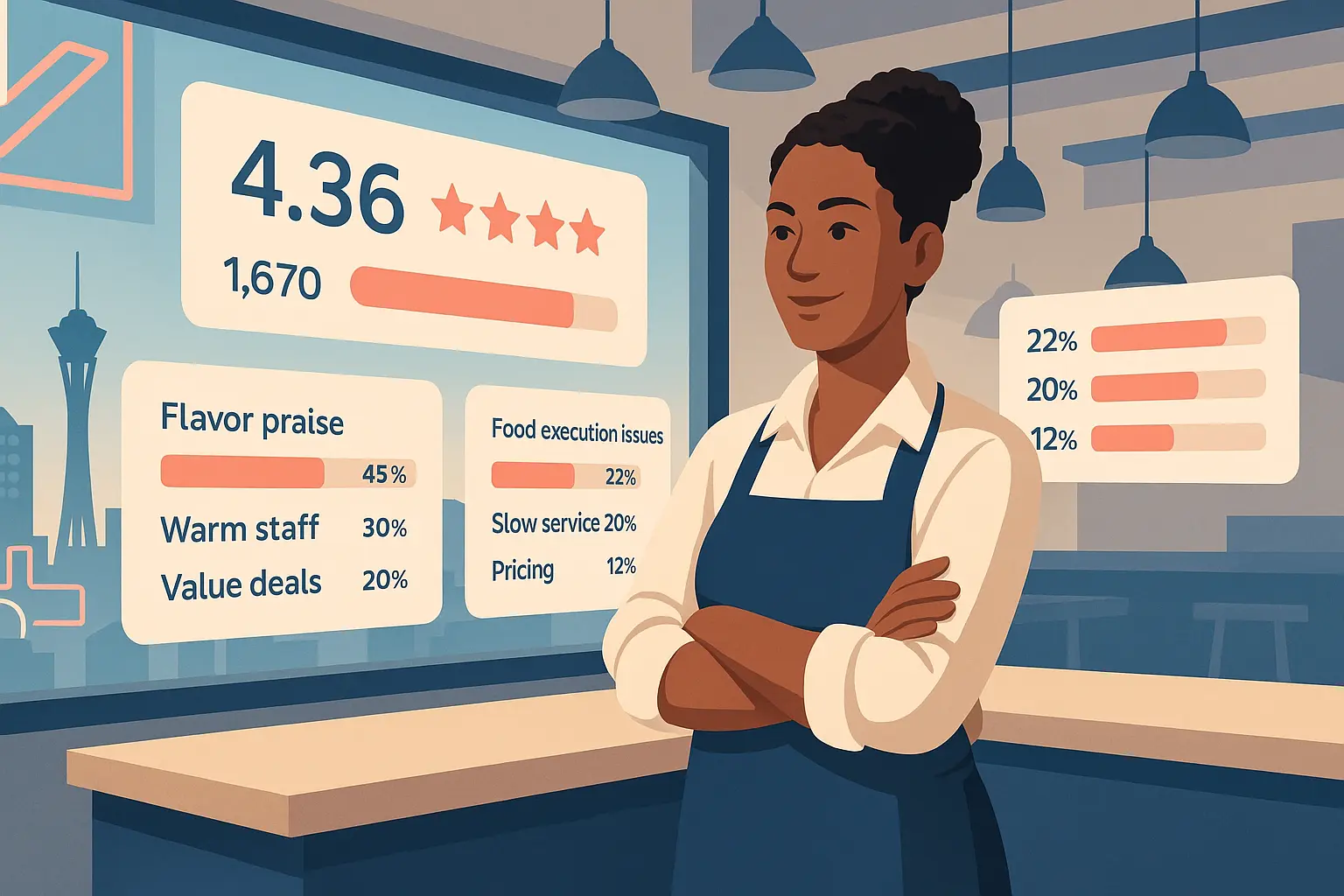
Las Vegas Restaurants average 4.36★ with 1,670.39 reviews. Sixty-five percent sit at 5★, which means a 4.2★ listing can look weak even if your food is solid. A 4.5★+ Google Maps rating with fresh reviews makes you rank higher in “near me” and maps-pack results near the Strip, Summerlin, and Henderson.
Volume matters. A 4.6★ spot with 500 reviews may rank under a 4.5★ neighbor with 2,000 reviews because recency and response speed influence Google’s trust signals. Photos, accurate hours, and tight categories help your profile win the tap when tourists stand outside with low phone battery.
Next step: compare your profile to the market median using Google’s “compare to similar places” panel and note where photos, hours, or category tags lag.
Revenue Impact
Harvard researchers found a 1-star lift can boost restaurant revenue 5-9%. Apply that to a $1.8M yearly top line on Sahara: a 0.5-star climb (4.1★ to 4.6★) could mean roughly $45k to $81k more. That’s the difference between hiring one more line cook or keeping brunch service consistent.
Small improvements pay. Faster replies to reviews and tighter hours accuracy are low-cost levers that move rating. Raising from 4.3★ to 4.5★ aligns with local averages and brings you closer to the 65% of peers already at 5★.
Next step: pick last month’s Saturday revenue, model a 5% bump, and set that as your review-response target value.
What Las Vegas Customers Complain About on Google Maps
- Rude or slow service (ignored tables, long waits, dismissive staff): 20% of negative reviews
- Poor food execution (cold/overcooked dishes, bland flavor, inconsistent quality): 22%
- High prices or small portions that don’t match quality: 12%
“Food, AWFUL. Worst food experience in Vegas. I don’t know how they stay open”
“If I could leave zero stars, I would. They made us wait to order drinks, then to order food, then to get our check… water that tasted like sewer, even the soda and juice tasted bad”
Google Maps reviews are fast, often posted in the parking lot. That immediacy means sloppy handoffs show up before a manager hears it. Service pace complaints at 20% show guests are timing the greet. Food execution at 22% highlights kitchen consistency more than recipe issues. Price-to-portion at 12% stings because it implies misaligned value, not just expense.
Operational fixes matter more than replies alone. Tighten table touches to under three minutes, audit expo temps every 30 minutes, and align portion guides to menu price points. Responses should acknowledge the specific wait or dish and invite a quick follow-up, not a script.
Next step: spot-check four recent 1-2★ reviews and log whether they cite greet time, dish temp, or portion—fix the highest frequency issue first.
What Drives 5-Star Reviews
- Tasty food with standout flavor across cuisines: 45% of 5★ reviews
- Friendly, attentive staff who make guests feel welcome: 30%
- Generous portions or good value deals (happy hour, specials): 20%
“The food was amazing and the staff was beyond amazing!!! You will NOT be disappointed”
“A magnificent option in DTLV. Great food, great coffee, better service. Massive space, tables, booths, bar”
Guests reward flavor and warmth. Forty-five percent praise standout taste, which means seasoning and consistent temps win. Thirty percent call out staff warmth by name or tone. Twenty percent celebrate value through portions or deals, not just low prices. These themes are specific to Las Vegas where locals compare against casino comps and tourist premiums.
Tie action to praise: pre-shift flavor checks, name-based greetings, and simple happy hour bundles that don’t slow the line. Encourage staff to offer a quick photo spot or patio note; those touches seed positive reviews faster.
Next step: script one sentence for servers to ask satisfied tables for a Google Maps review right after dessert, linking to your profile QR.
5 Google Maps-Specific Strategies
Strategy 1: Optimize Your Business Hours
Accurate hours keep you in the “open now” filter and reduce 1★ rage posts. Late-night diners on Fremont check Maps at 11:30pm; mismatched hours fuel slow-service complaints. Google weights hours accuracy in local ranking.
- Publish split hours for brunch and late-night; review them weekly.
- Add special hours for events (Golden Knights nights, F1 week) 48 hours ahead.
- Train hosts to edit hours in the Google Business Profile app in 5 minutes.
- Post a brief update if the kitchen closes early; pin it in Google Posts.
Time saved: 20 minutes weekly vs handling five angry calls. Rating impact comes from preventing avoidable 1★ posts.
Strategy 2: Respond to Reviews Within 24 Hours
Fast replies signal active management and can soften service complaints. Google highlights owner responses in search, helping you improve Google Maps presence without ads.
- Set a daily 15-minute block after lunch to reply to new reviews.
- Thank every 5★ review with one specific detail mentioned.
- For 1-2★, acknowledge the wait or dish and invite an email with date/time.
- Use a light plug: “Our review tool at / keeps replies under 10 minutes.”
Time saved: batching keeps responses under 15 minutes per day instead of scattered hours. Expect a steadier google maps rating as complaints feel heard.
Keep a three-line template for speed: thanks, specific detail, clear next step.
Strategy 3: Add Photos Weekly
Fresh photos boost click-through and map taps. Diners judge line length, patio shade, and bar seating from visuals.
- Post 5 photos every Monday: one exterior, two dishes, one drink, one team shot.
- Rotate in seasonal items; retire outdated specials.
- Tag photos with alt text in the upload field for clarity (e.g., “shrimp tacos lunch special”).
- Encourage staff to capture a full dining room before peak; avoid empty-seat shots.
Time saved: 10 minutes weekly using a shared album. More taps mean more chances to convert searchers standing on the Strip.
Strategy 4: Use Google Posts for Specials
Google Posts show below your listing and capture last-mile intent. Specials convert locals who filter by “offers.”
- Publish two Posts per week: a weekday lunch combo and a weekend shareable.
- Keep copy to 80 words; add a price and time window.
- Reuse the same image from your photo set to reduce work.
- Link to your menu on your site or the insight home at /insights for discovery.
Time saved: 25 minutes per week with a repeatable template. Expect more map calls and walk-ins from “offers” filters.
Posts expire in seven days, so schedule a recurring reminder.
Strategy 5: Ask for Reviews at the Right Moment
Review velocity keeps you high in local packs. Asking right after a positive touchpoint beats email blasts.
- Train servers to hand a QR card with the check for happy tables.
- Host follows up with bar guests when they compliment a drink.
- For delivery, add a receipt footer linking to your Google Maps listing.
- Avoid requesting during rush when waits are long.
Time saved: 15 minutes per shift to brief staff; gains come from steady 5★ flow. Moving from 4.3★ to 4.5★ is realistic within eight weeks if you add five new reviews per day.
Keep asks personal; generic blasts can be flagged by Google.
Platform Comparison Insight
Google Maps drives the bulk of walk-in traffic on the Strip and in Summerlin because locals search on mobile while nearby. TripAdvisor skews toward tourists planning a week out. For Las Vegas Restaurants, focus on Maps first, then refine TripAdvisor responses. See the detail in TripAdvisor insights. Use the cross-view in our aggregate comparison to spot profile gaps.
Next step: audit your Google Business Profile this week, then schedule a TripAdvisor review sprint next month.
Next Steps
This week: check your google maps rating, read the last 20 reviews, and pick one recurring complaint to fix. Update hours, and reply to every new post within 24 hours. Link to the country index or city insights if you need benchmarks.
This month: implement the fix, ask for reviews at the table, and add photos weekly. Compare your listing to peers via the business type index. Monitor review velocity in our review dashboard so staff can see progress. For projections, run the Google Reviews Calculator first, then validate assumptions with our review revenue calculator guide.
This quarter: track rating and revenue together. Aim for a 0.2★ lift and a 5% revenue bump. Revisit pricing-per-portion complaints and refresh Google Posts. If you need pricing clarity, check Reviato pricing to see how unified response tools fit your pace.
Data Methodology
Data source: Google Maps public reviews. Sample size: 100 Restaurants in Las Vegas, NV. Collection date: December 2025. Platform: Google Maps only; separate TripAdvisor analysis sits at TripAdvisor insights. Stats include a 4.36★ average rating and 1,670.39 average review count. Negative themes came from 775 reviews; praise themes from 5★ subsets. This is a snapshot in time; individual results vary with seasonality and events like F1 or major concerts. All data is publicly verifiable via Google Maps, and broader discovery sits at Insights home. If you need broader TripAdvisor context while planning, review TripAdvisor statistics and how TripAdvisor rankings work.